AIDA Camera Apps
The camera is the recognition engine
Eight AIDA apps recognize plates, people, PPE, fire and vessels inside LILIN AI cameras, raising alerts the moment it matters with no separate analytics server on site.
-
8
Recognition apps, one per task
-
0
Extra AI servers or PCs
-
24
Objects tracked per frame
-
4K
Recognition up to 8MP
Why recognition belongs on the camera
Traditional analytics hauls every stream back to a rack of GPUs before the first event can fire. AIDA runs recognition and alerting inside the camera itself, so the stream never has to leave it.
Server-Based Analytics
AIDA On-Camera
Every node removed is hardware, rack space, power and maintenance you never pay for.
No AI Server to Buy
Recognition runs on the camera's built-in AI engine. No GPU appliance or PC intermediary to purchase, rack, power or maintain.
Events at the Source
Alerts fire the moment something is recognized, via HTTP POST, digital output or push notification, with no round trip.
Fits Your Recording System
Counts, plates and event metadata stream to LILIN NAV recorders and back-end software for storage, search and analysis.
The Eight Apps
Each app is a recognition engine trained for one task. Install the one your site needs, or combine them across cameras.
EDGEFLOW
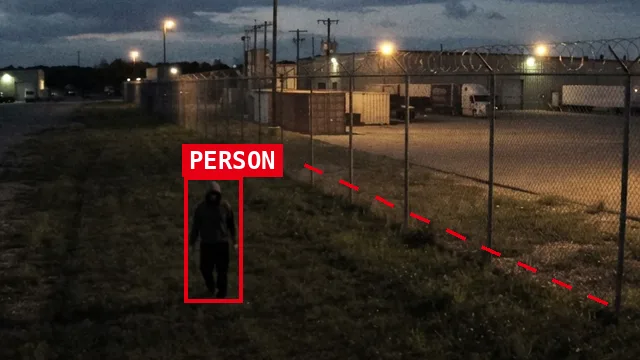
Watches outdoor perimeters for people, bicycles and vehicles that cross a line in a set direction, enter a restricted zone or linger, with each zone raising its own event.
- Object Classes6
- Per Frame24 tracked
- Cold Zones8
EDGECAP
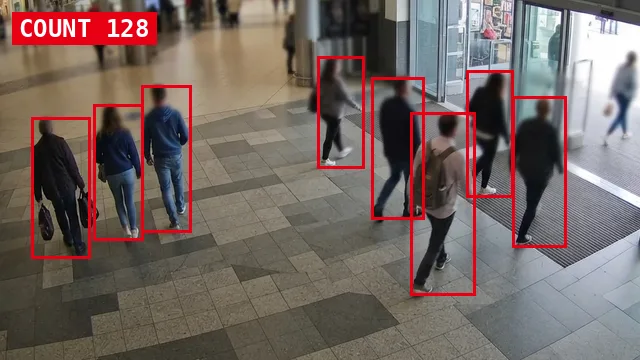
Counts people and vehicles that cross a line or gather in a zone, raises an event once a set number is exceeded, and pushes the counts to your back end over HTTP POST.
- Counters8
- PosturesStand·run·climb
- Per Frame24 counted
EDGELPR
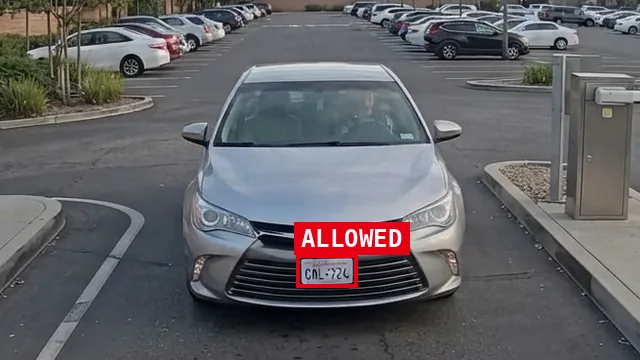
Reads plates on vehicles at up to 100 km/h, up to four in one frame, and checks each against allowed and denial lists of 5,000 plates to trigger the gate or an alert.
- Max Speed100 km/h
- Per Frame4 plates
- List Capacity5,000 × 2
EDGEMASK
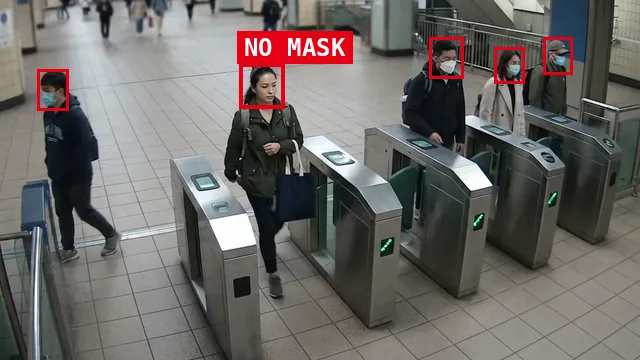
Tells a properly worn mask from one worn incorrectly or not at all, for up to 24 people in one frame, at airport, clinic and transit entrances.
- Mask States4
- Per Frame24 people
- Tamper DetectBuilt-in

EDGESAFTY
Checks up to 24 people in one frame for helmets and hi-vis vests, and raises an alert as soon as a worker without a helmet enters the zone.
- PPE States3
- Speed12 fps @ 4K
- Per Frame24 people
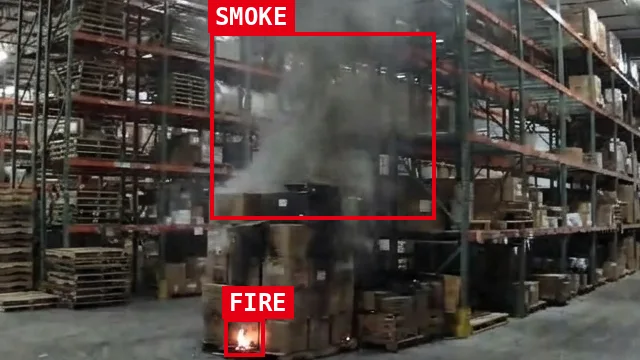
EDGEFIRE
Flags smoke or flame once it covers 10% of the view, in open areas ceiling smoke detectors cannot cover, and can trigger the fire system directly through digital output.
- Trigger Threshold10% of view
- Speed12 fps @ 4K
- DO OutputYes
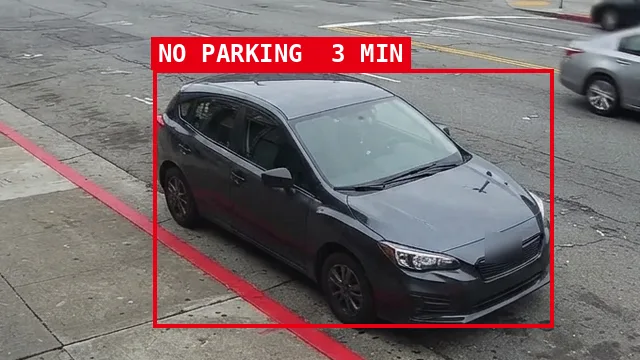
EDGECARMAKE
Reads the plate together with vehicle make and type, and raises an event when a vehicle stays in a no-parking zone longer than the time you set.
- Plate Regions20+ countries
- Vehicle Makes100+
- Illegal ParkingBuilt-in
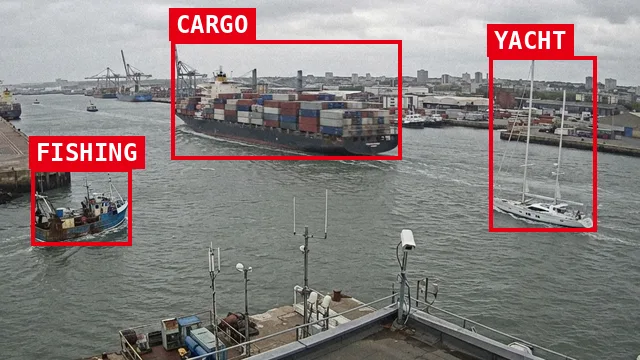
EDGEVESSEL
Identifies cargo ships, ferries, fishing boats, yachts and more entering port routes, and can hand the target to an S7 speed dome to follow its course.
- Vessel Classes10+
- Speed12 fps @ 4K
- S7 Auto-TrackYes
Deployment
-
Pick the App
Match the app to the site's task: one per camera, mixed freely across a deployment.
-
Load It on the Camera
Runs on LILIN Z7 and S7 series AI cameras, with no extra hardware between camera and network.
-
Wire Up the Events
Alerts go out over HTTP POST, digital output or push notification; recordings and metadata land in NAV.
- Runs On
- LILIN edge AI cameras (Z7 and S7 series)
- Recognition
- Up to 8MP (4K), 24 objects per frame
- Alert Outputs
- HTTP POST, digital output, push notification
- Recording
- Events and metadata integrate with LILIN NAV recorders
- Scales Up with
- AIDA ANPR back-end software when a project calls for server-side recognition
- Full Specs
- AIDA Camera Apps product category