Find anyone across every camera
from a single photo.
Upload a photo, or pick a face from the capture wall, and X-Path searches your entire camera network for that person. There is no pre-enrolled face database and no cloud: it runs on-premises with the cameras you already have.
How do you find one person on your premises?
Traditional surveillance leaves you with hours of footage and no fast way to find a specific person. Reviewing it by hand is slow, and it often misses the person you are looking for.
- Where have they been?
- Who was with them?
- Were they here last week?
- Which camera captured them?
Privacy-First AI Tracking
X-Path matches faces and tracks a person across cameras, with no prior face enrollment required.
Privacy-First Design
No face enrollment required. Matching runs as a similarity search on recorded footage, with human review for the final confirmation.
Instant Face Search
Upload a photo or pick a captured face, then search the entire face index in seconds.
VMS Integration
Integrates with Network Optix and Milestone VMS, with more platforms on the way.
Evidence Management
Export incident reports as PDF and video evidence as HTML, so every investigation leaves a record.
Watchlist Alerts
Get real-time alerts via Telegram, email, LINE, or HTTP webhook when a watchlist face appears.
Background Processing
Search tasks run in the background, so you can keep investigating while they finish.
Use Existing Cameras
No equipment replacement. Native RTSP support plugs into any camera, with detection and exclusion zones configurable per channel.
Dashboard Insights
Aggregates recognition statistics from every camera each minute: live footfall insights, heatmaps, zone analysis, and trend views.
Four-Step Workflow
Four steps from a single face to a complete case file.
Target Selection
Upload a photo, or choose from live face wall, historical clips, or saved albums
Search
Query across cameras within a set time window; nearby-person search finds who was with the target. Results ranked by match confidence
Map Movement
Upload a floor plan. Timeline with video clips shows exact path through the venue
Export Case
One click exports PDF report and bookmarks to VMS. Related cases can be merged; full history stays archived
Interface Preview
Four steps: upload a photo, find the person across cameras, review the clips, export the evidence.
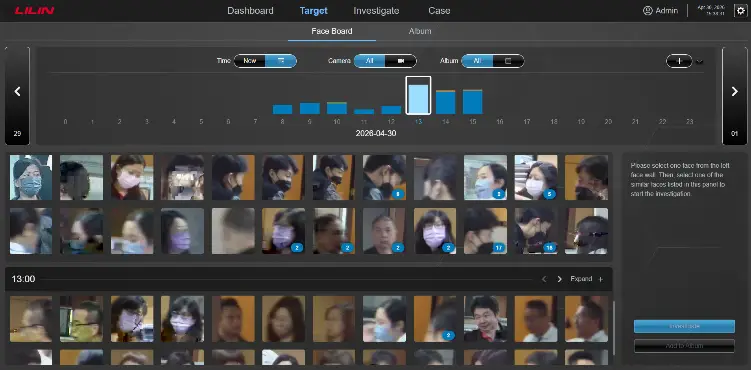
Pick a Target
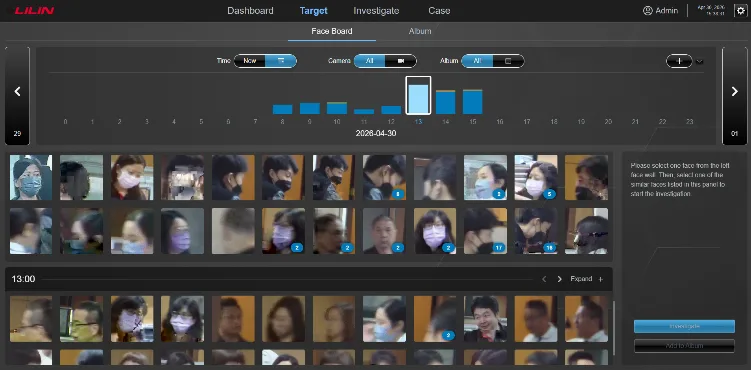
Start with a single face. The Face Wall streams every person seen by your cameras in real time, so you can pick a target in seconds.
- Real-time face stream from all cameras
- Browse your album of saved people
- Or upload any photo to begin
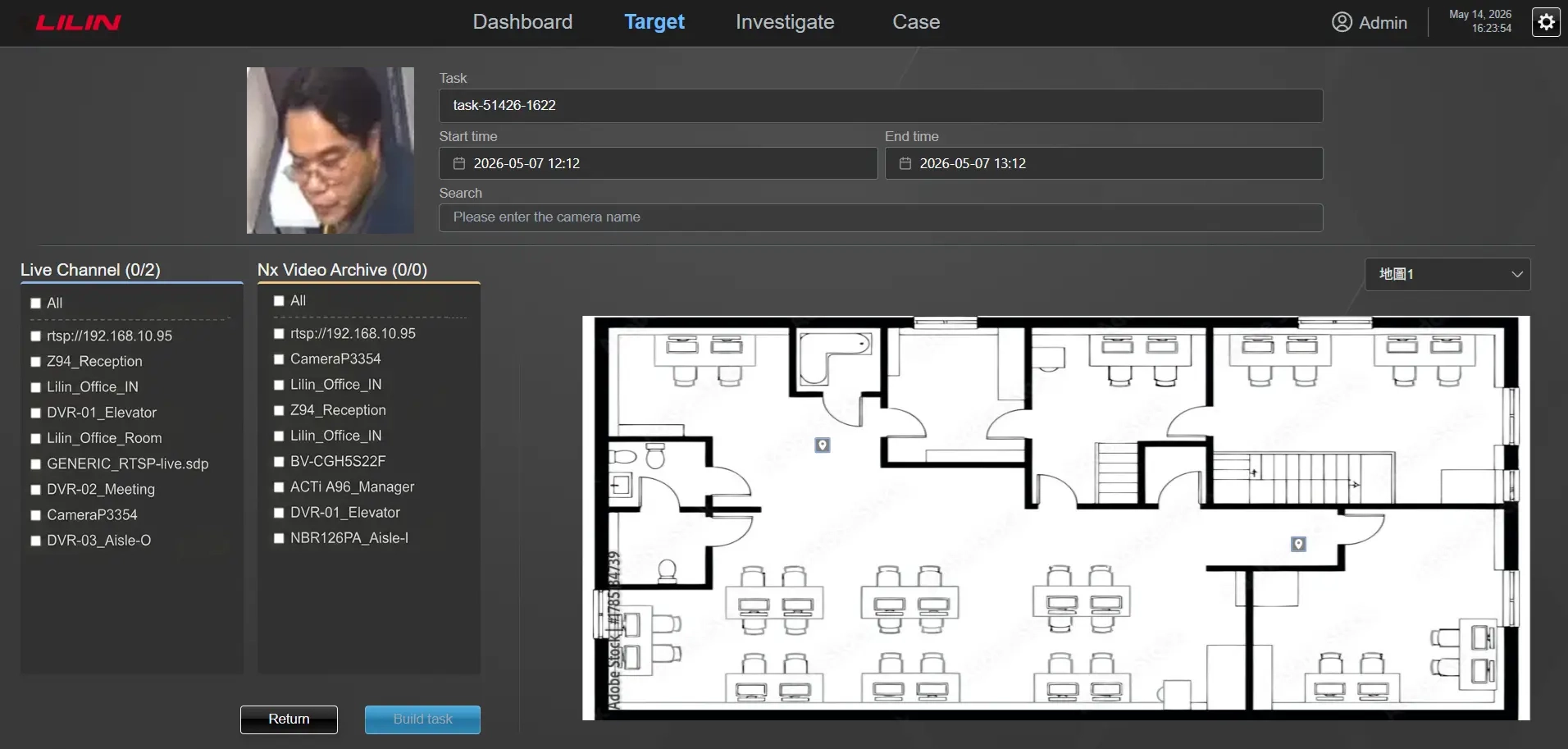
Search the Network
One face, every camera. X-Path searches the face index directly, with no pre-enrolled database.
- Instant face similarity search
- Network Optix archive search
- Native Network Optix integration
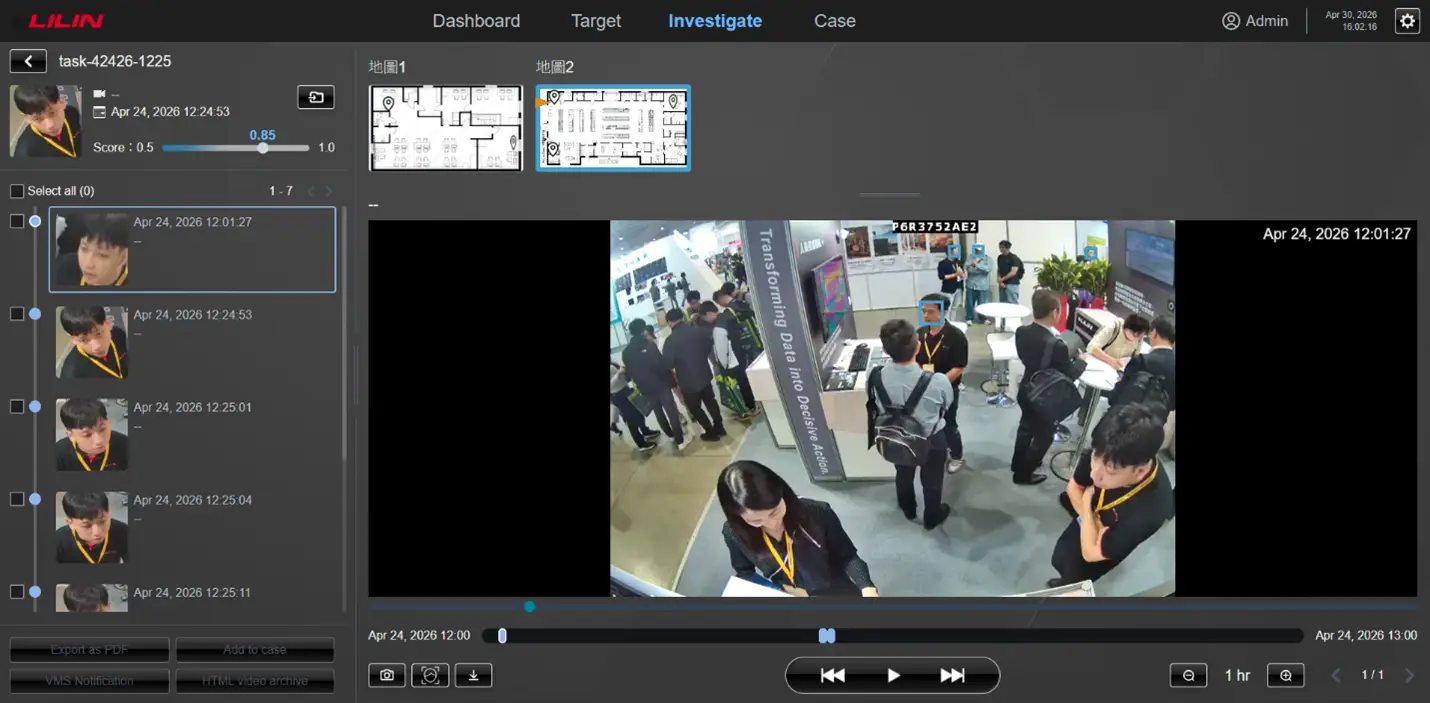
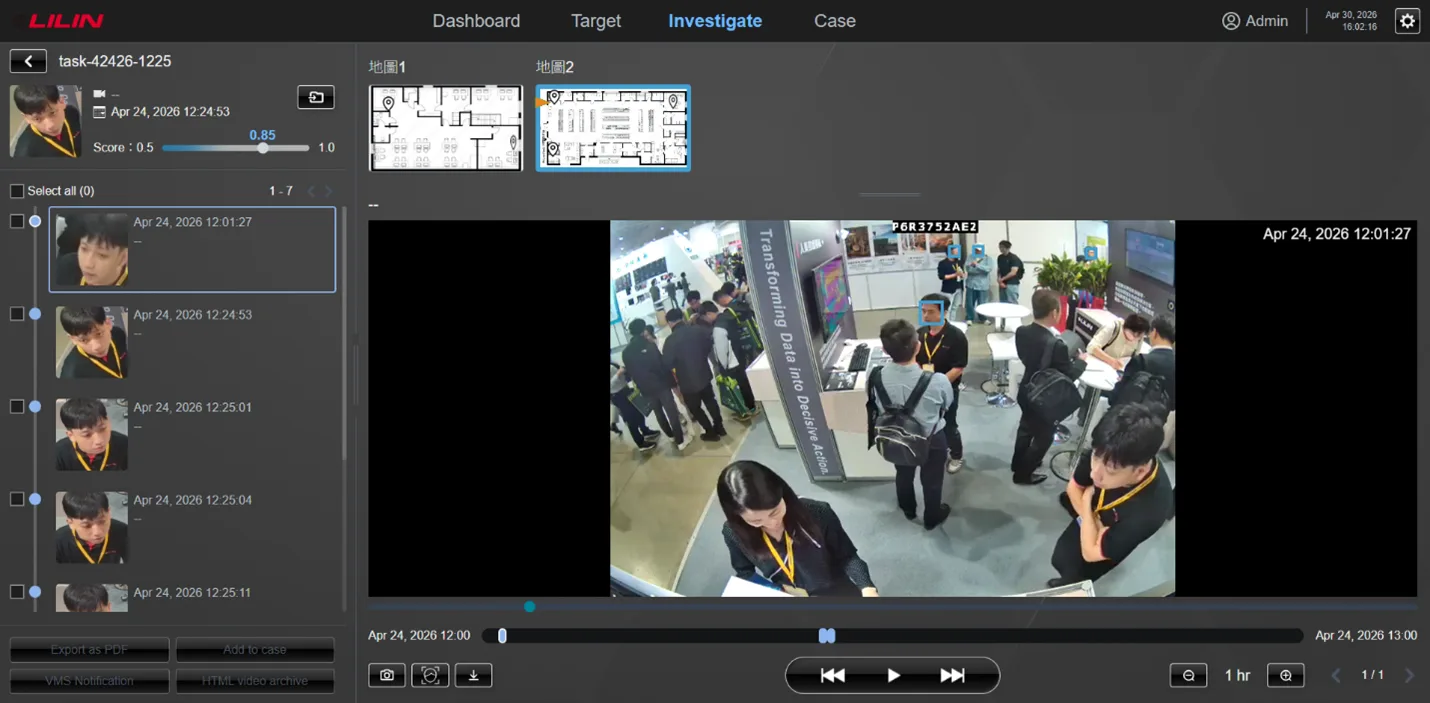
Investigate the Hits
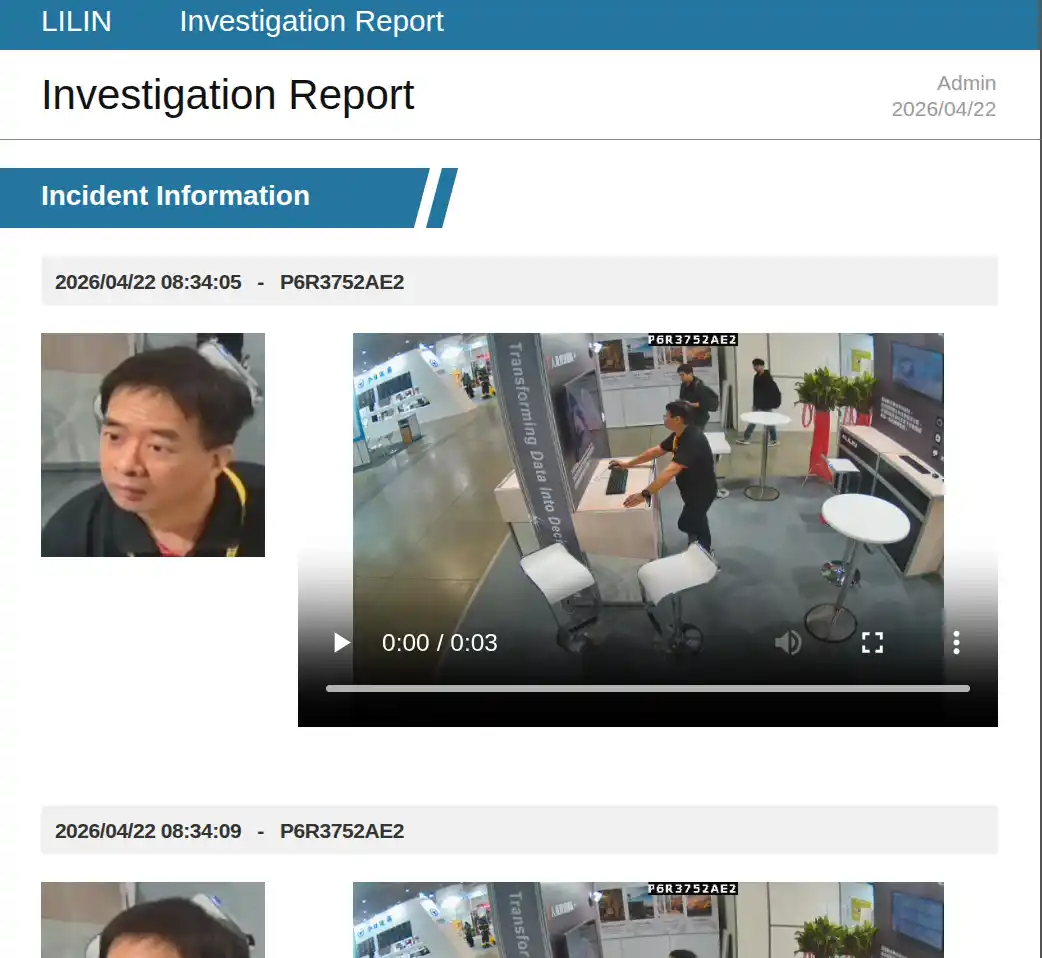
Drill into each match. Mark the moment, scrub the timeline, and confirm whether the same person reappeared across cameras.
- Incident list with timestamps
- Playback with frame-level marking
- Multi-camera timeline view
Export the Evidence
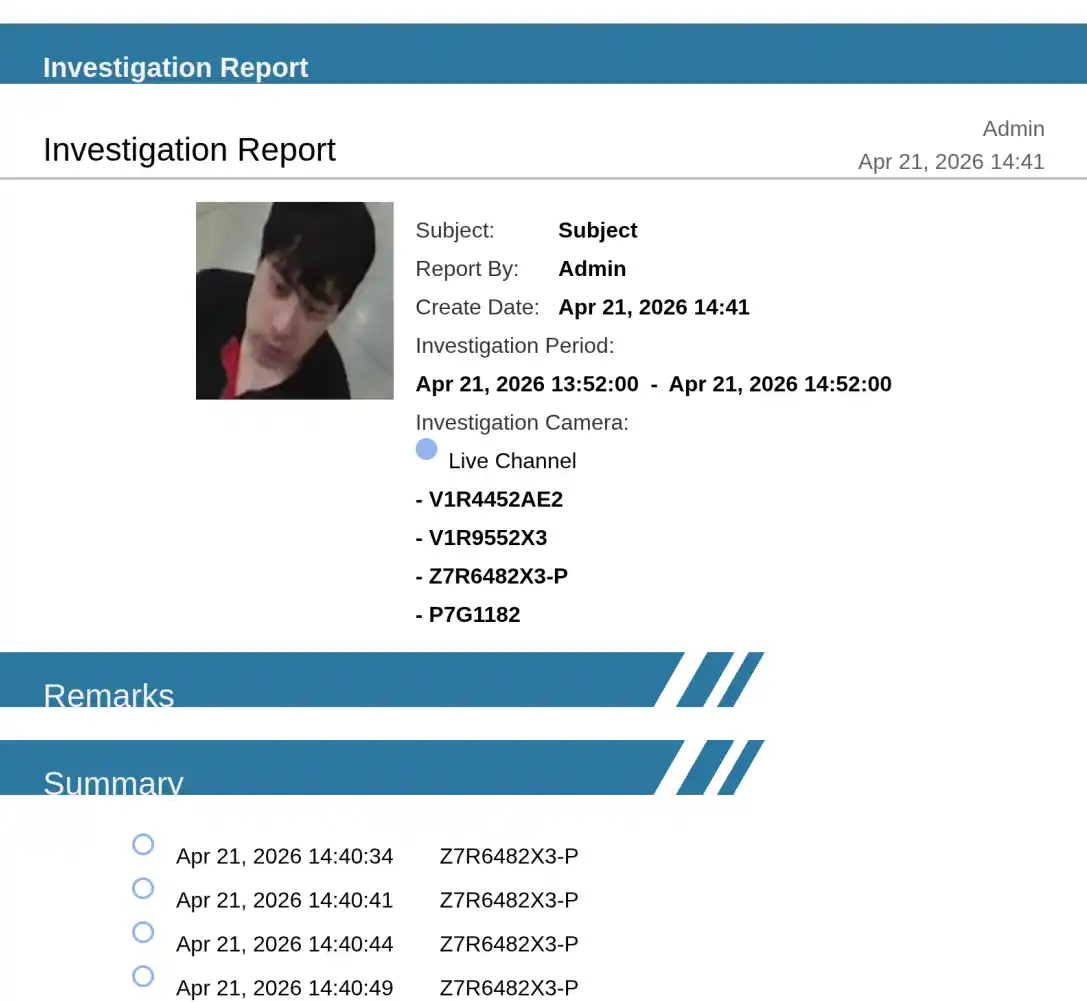
Hand it to whoever needs it. X-Path generates a privacy-compliant PDF case report, with the target marked and other people blurred, plus an HTML video summary for sharing.
- Privacy-compliant PDF case report
- HTML video summary for sharing
- Non-target faces blurred automatically
System Architecture
A single server supports up to 50 cameras, with no GPU required.
IP Cameras
(up to 50)
Network Optix VMS
X-Path Server
Face Index DB
VMS Compatibility
Network Optix
Built-in
Milestone
Built-in
LILIN NAV
Coming Soon
3rd Party
Coming Soon
Face Index Specs
- Faces larger than 100×100 pixels indexed automatically
- Face wall refreshes every 10 seconds; snapshots kept 14 days
- Matching threshold adjustable against live results
- Network Optix archive search: un-indexed archive takes about 10 min per hour of video, far less with Search Motion on
No GPU Required
X-Path is optimized for Intel Core processors. Deployments up to 50 cameras run entirely on CPU; no discrete GPU needed. Choose a server based on your camera count.
| Model | Max Cameras | Processor | Memory / Storage |
|---|---|---|---|
| ZTR-4220 | 20 | 13th Gen Core i7-1360P | 16 GB / 1 TB |
| ZTR-4250 | 50 | 13th Gen Core i9-13900K | 32 GB / 1 TB |
| ZTR-4200 (License Only) | 50 | Customer-supplied hardware | As specified by customer |
License-only edition deploys on your hardware; camera limit depends on specifications.
Powerful Investigation Tools
Review each incident with linked video playback, a timeline view, and map markers that show exactly where it happened.
- Incident list with thumbnails
- Linked video playback
- Timeline markers
- Nearby-person search finds who was with the target
- Floor-plan path mapping of the target’s movements
- Video archive search (Network Optix only)
Proactive Watchlist Alerts
Create albums of persons of interest and receive instant notifications through your preferred channel.
- Five watchlist albums included
- Alerts via Telegram, email, LINE, or HTTP
- Flexible notification schedules
- Add photos by scanning a QR code from a phone
- HTTP API for integration
Industry Use Cases
For any site where finding a person quickly matters.
Monitoring That Doesn’t
Stop at the Door
X-Path covers the shared spaces; inside private rooms where cameras don’t belong, LILIN’s video-free sensors take over. When a resident leaves the bed or wanders off, the Vital and ToF sensors detect it at once and hand the case to X-Path to find the person on camera.
A Real Scenario
05:15 AM: What happens after a resident sits up
05:15 AM
Mr. Wei Sits Up
A resident sits up in bed during the quiet night shift, with no one watching.
Vital Sensor
Bed-Exit Detected
Detects the bed exit, heartbeat, and breathing in real time, with no contact.
Instant Alert
Care Staff Notified
An alert is sent to the care team with what changed and where.
X-Path
Resident Located
Staff use X-Path to find him across cameras before he leaves the floor.
Why Care Facilities Choose LILIN
Resident monitoring that protects privacy and saves staff time.
Contactless
Sensors detect presence, motion and vitals, with no wearables and no cameras in the room.
Privacy
No video, no identity. Only posture, motion and presence data leave the room.
Efficiency
Staff spend time on the residents who need them, not on endless hallway checks.
Two Detection Paths
The right tool for each job.
Non-Video Monitoring
Sensors detect every change inside the room, with no cameras and no identity data.
- Vital Sensor: detects bed exits, heartbeat, and breathing.
- ToF Sensor: one per room, precise positioning without video.
- Privacy-safe data: people counts, movement, and trends over time, never identity.
Intelligent Investigation
Locate a person across cameras with X-Path.
- Privacy first: no face enrollment and no pre-built face database required.
- Cross-camera tracking: locate the resident as they move between cameras.
- Same X-Path engine: one platform, no second system to learn.
Simple Software Licensing
- Face Index Database
- Platform & Web Application
- Software Updates & Support